The Client app to track invoices and mail on your iPhone
Your client area on the go
Company Belgium Client extends your client area to the iPhone: dashboard, invoices, signed contracts and scanned mail from the Company Belgium administrative management platform, wherever you are.
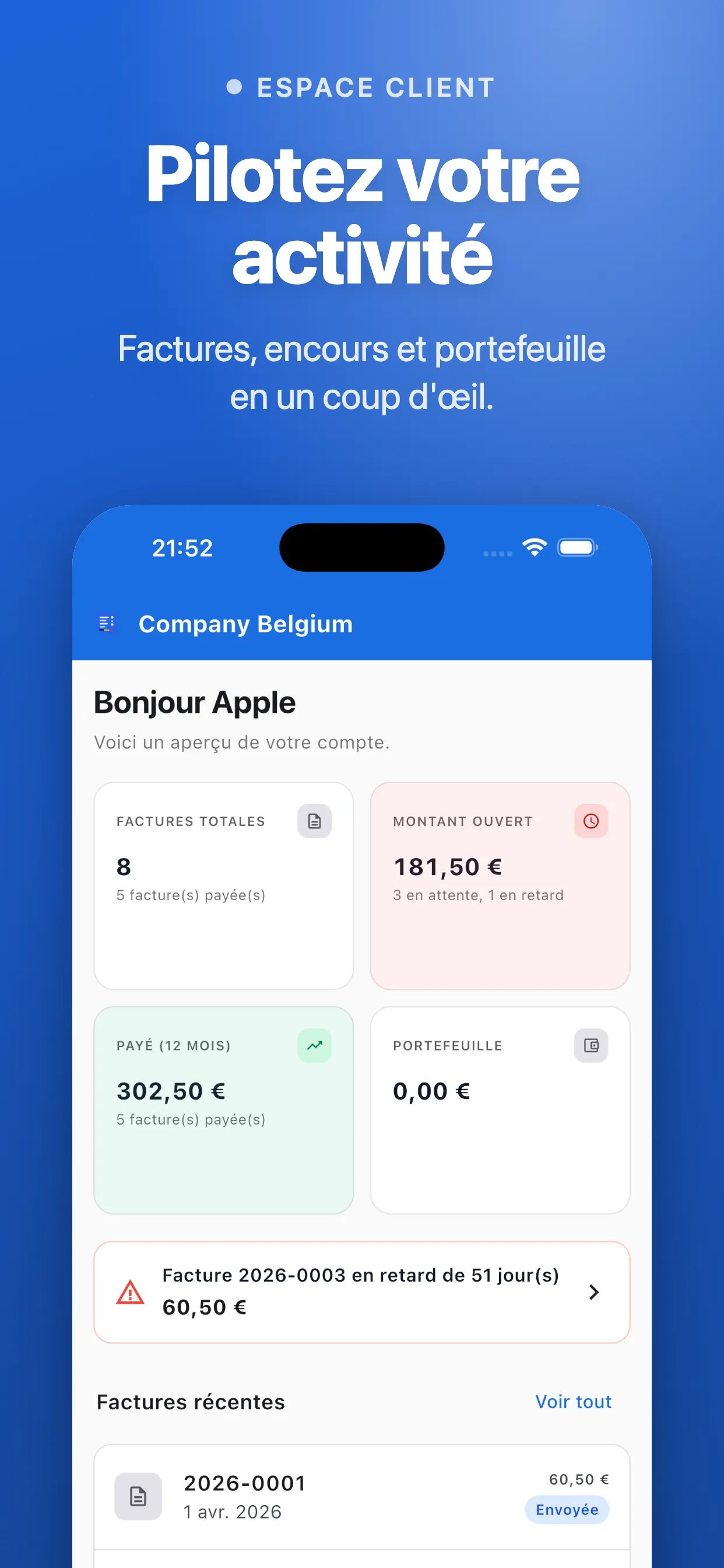
Interactive dashboard: revenue, outstanding balance, open / overdue / paid invoices at a glance
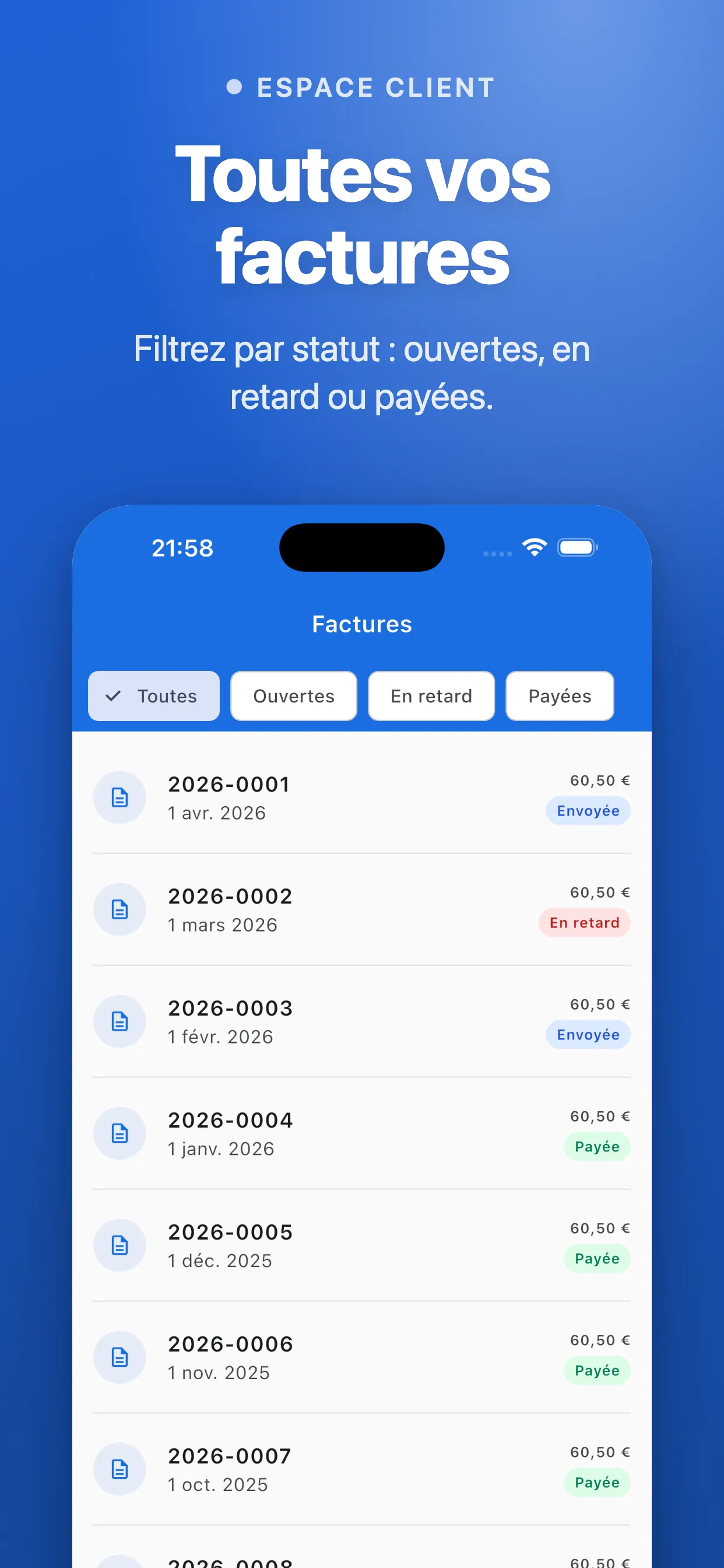
All your invoices: status filters, count per filter, one-tap PDF view
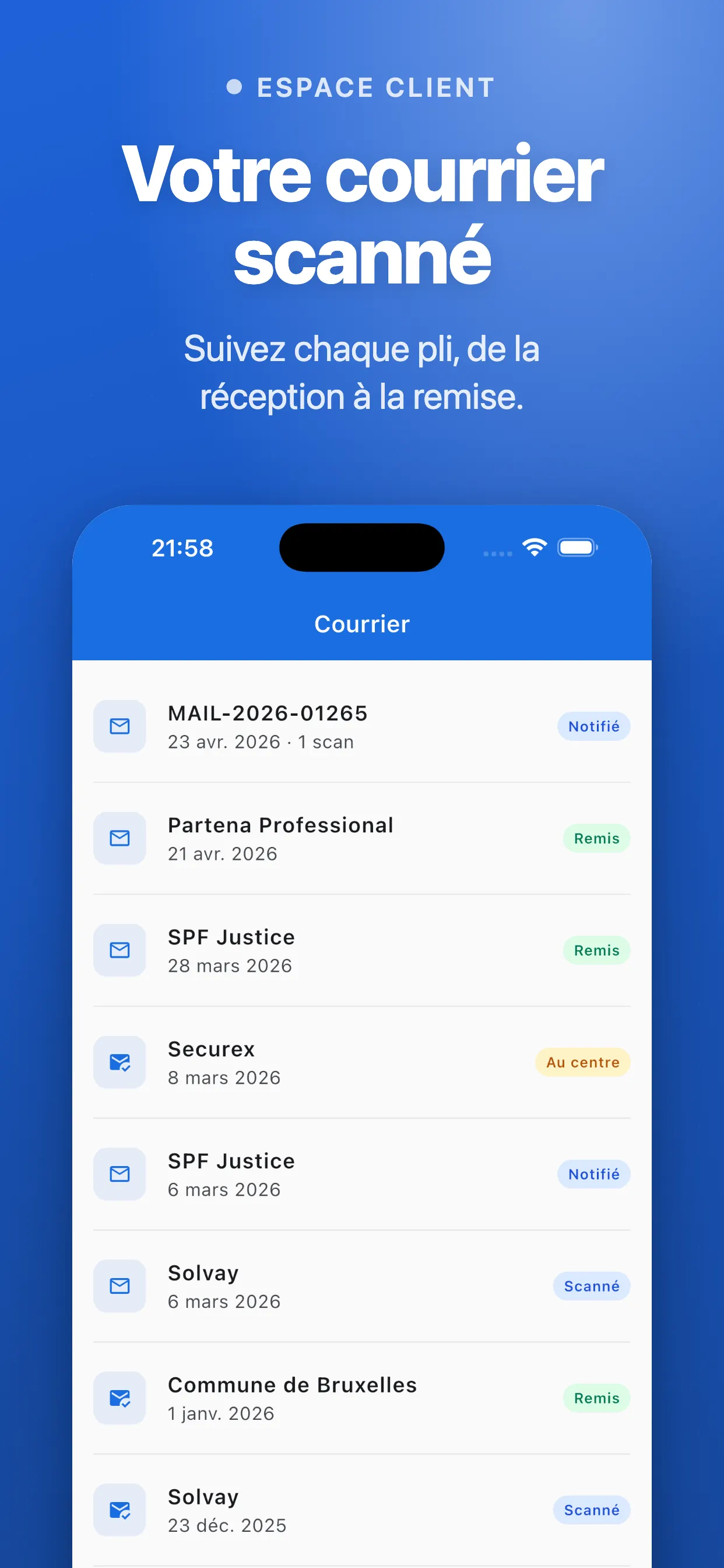
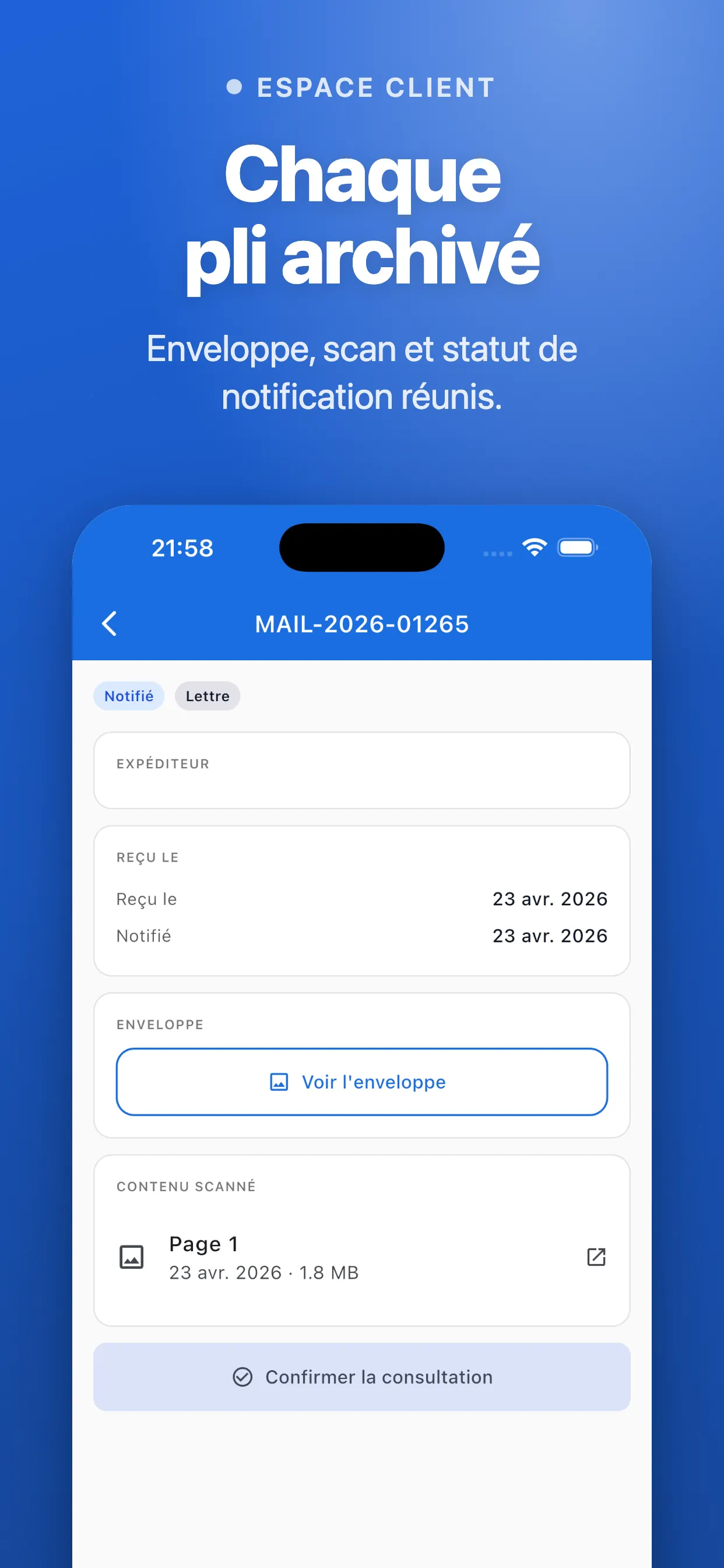
Scanned postal mail: follow each item from arrival to handover in the dedicated ‘Mail’ tab
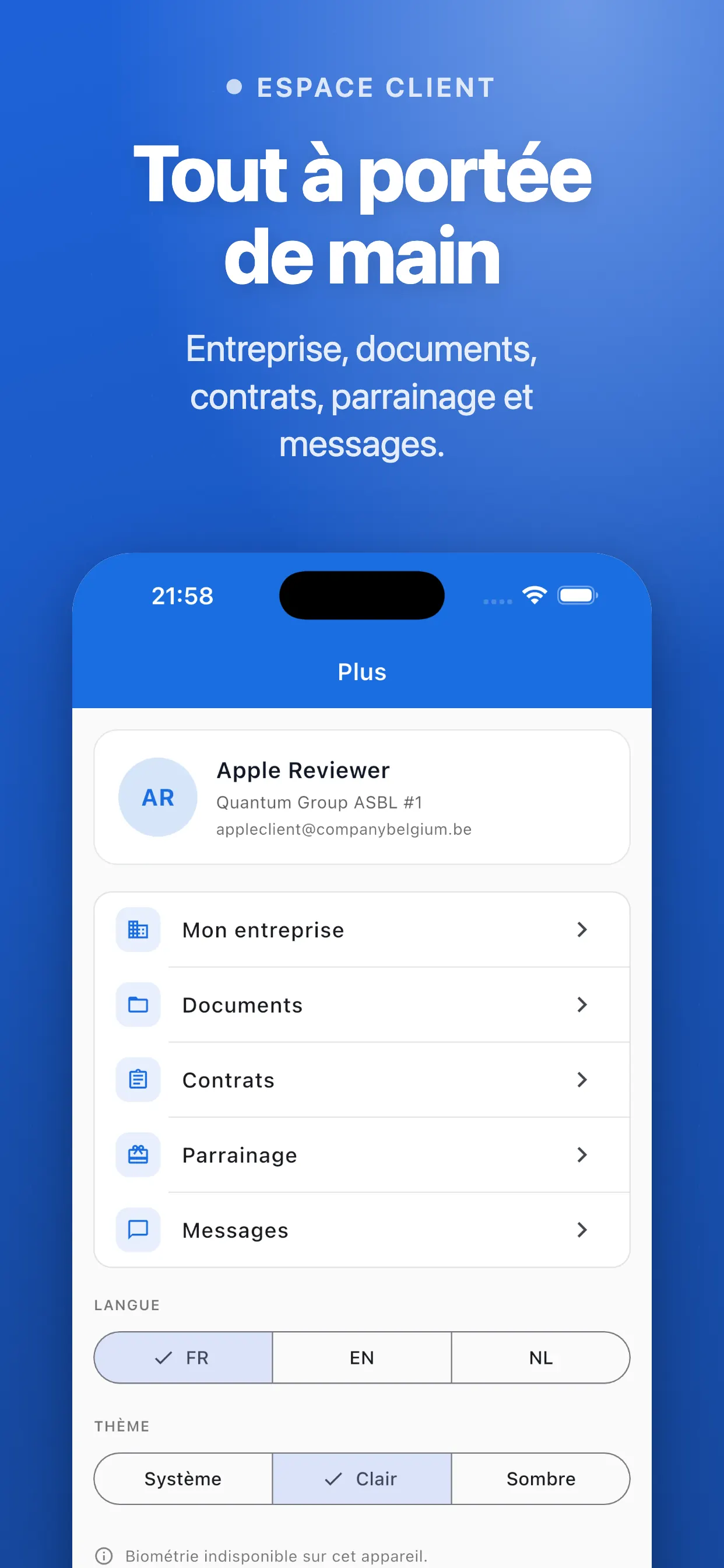
Signed contracts: amendments, domiciliation and more, viewable any time
Referral program: bonuses defined by the provider you recommend
Screenshots
The app in pictures
Swipe to see more
1
Dashboard with revenue and invoices overview
2
Invoice list with status filters
3
Scanned postal mail
4
Signed contracts viewer
5
Provider referral program
6
Invoice detail in PDF
Who is the Client app for?
It supports Company Belgium subscribers day to day:
Entrepreneurs and freelancers with a Company Belgium subscription
Directors who keep an eye on outstanding balances on the go
Accountants who follow invoices for several files
Domiciled businesses that receive their mail as scans
Your client area, now in your pocket
Company Belgium brings together the admin side of running a Belgian business: invoicing, contracts, domiciliation and mail. The Client app puts that information at your fingertips, even between two meetings. You no longer need to open a laptop just to see whether a client has paid.
The dashboard shows your revenue, outstanding balance and open, overdue or paid invoices at a glance. As a result, you spot an unpaid invoice to chase straight away. Status filters, each with its own counter, then sort your invoices in seconds.
Follow your mail and contracts
If Company Belgium domiciles your registered office, each item of mail appears in the ‘Mail’ tab with its status: received, being processed or handed over. You therefore know straight away that an important letter is waiting for you. In the same way, the list of scanned items keeps a clear record of everything you have received.
Your signed contracts, such as the domiciliation agreement and its amendments, remain available at any time. Finally, the referral programme shows the bonuses that the provider you recommend has set.
Frequently asked questions
Client app FAQ
Do I need a Company Belgium account?
Yes. The app serves Company Belgium subscribers: you sign in with your account credentials.
Can I download my invoices as PDF files?
Yes, you can view and share every invoice as a PDF straight from the app.
How do I track my postal mail?
In the ‘Mail’ tab, you see each scanned item with its status: received, being processed or handed over.
What does the dashboard show?
Your revenue, your outstanding balance and the number of open, overdue or paid invoices. One tap on an invoice then opens its PDF.
How does the referral programme work?
It rewards you when you recommend a provider. The bonuses depend on that provider, who sets them, and the app shows them clearly.
Is the Client app available on Android?
Not yet: the Android version remains in preparation. In the meantime, the app runs on iPhone through the App Store.
How does it differ from the BCE app?
The BCE app lets anyone look up any Belgian business, for free and with no account. The Client app only covers your own file at Company Belgium.