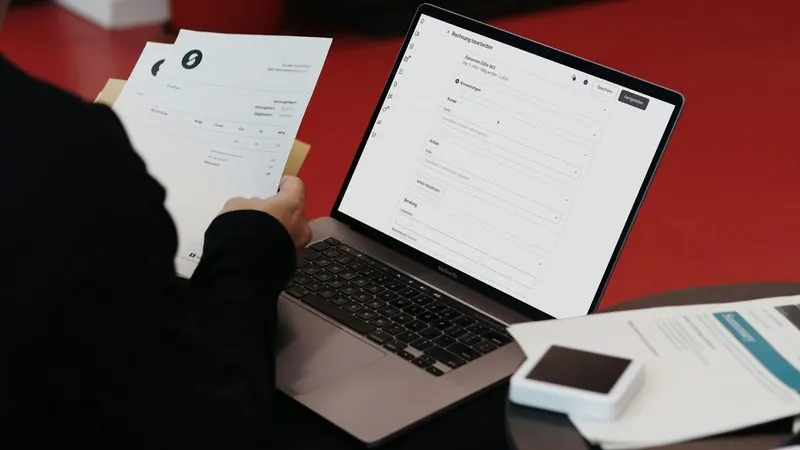
Issuing a compliant invoice in Belgium means checking several details at once. Cross-border sales add another layer: when your customer is a business in another EU member state, the reverse charge mechanism often applies. Customer number, applicable regime, legal wording, numbering and the periodic listing all have to line up. A single mistake can distort a return. Our invoicing module automates these checks, so your team can focus on customers instead of checkboxes.
Five checks behind every Belgian invoice
Every invoice has to bring together a precise set of information. When those checks rely on manual proofreading, an error eventually slips through. And it tends to be the one that costs the most to fix. Here is what the module verifies for you:
- The customer's identification number: format, plausibility and consistency with the country.
- The applicable rate: standard rate, reduced rate or 0%, depending on the transaction.
- The legal wording that matches the regime, in the language of the invoice.
- Continuous numbering, with no gaps or duplicates.
- The intra-Community listing for the transactions concerned.
Reverse charge without a second thought
When you create a customer based in another member state with a valid VAT number, our engine automatically applies the reverse charge to eligible invoices. The customer then accounts for the tax in their own country. The module adds the required legal mention to the PDF, line by line, in the invoice language. No more forgotten checkbox, and no double check at the end of the month.
Behind the scenes, our service validates each number (normalisation, format, plausibility) before it allows the reverse charge. As long as the number remains unrecognised, the invoice stays in draft. For an extra check, the European Commission's VIES system also lets you verify a foreign VAT number.
A hard stop before finalisation
Finalising an invoice commits your business: the document enters the legal numbering sequence and can no longer change. We therefore added a clear safeguard. You cannot finalise a reverse charge invoice without a valid VAT number on the customer record. The error message states exactly what is missing, and a shortcut takes you straight to the record that needs fixing.
The intra-Community listing (form 723) in one click
Belgian companies that carry out intra-Community transactions file a periodic statement, the 723 listing, through Intervat. Its frequency depends on your situation: monthly or quarterly. Our tool generates the file in the correct format, grouped by customer and by period. Every reverse charge invoice already carries the right annotation, so nobody has to compile them by hand. Late or inaccurate filings can lead to administrative fines, so an accurate file protects your business.
Purchase invoices, credit notes and quotes
The module also handles purchase invoices, entered manually or received through Peppol, as well as credit notes and quotes that convert into invoices. The PDF follows a clean layout: tidy header, structured tax block, multilingual mentions and a footer with your SEPA bank details. Since 2026, B2B invoices between Belgian companies travel through Peppol. Receiving your purchases in the same tool therefore saves you from typing them twice.
Plans and quotas
- Starter: 5 invoices per month, for freelancers getting started.
- Pro: 50 invoices per month, for growing micro-businesses and SMEs.
- Enterprise: unlimited volume, with multiple users and priority support.
The counter resets every month and stays visible in real time on your dashboard. Quotes and credit notes do not use up your quota.
Common reverse charge mistakes
- Invoicing a foreign customer without checking their VAT number.
- Forgetting the reverse charge mention, or writing it in the wrong language.
- Applying the reverse charge to a private individual, although it only covers taxable businesses.
- Mixing up goods and services: the legal wording differs depending on the type of transaction.
- Editing a finalised invoice instead of issuing a credit note.
- Filing an incomplete 723 listing because some invoices lack the right annotation.
Getting started
Activate the module from the “Invoicing” tab in your Espero-Soft workspace. Then import your customers (CSV or API), check their VAT numbers in one click and publish your first invoice within minutes. Existing users keep their numbering: we simply continue their current sequence. Need custom development around your accounting flows? Explore our IT development services or talk to our team.